

Running Automations
The owners of the IT/Security agent will be folks with access to the ITSM tools required to carry out complex operations end to end. These operations may live in Tray, Workato, Okta workflows, etc. For this use case, we will create a connection to Okta workflows to carry out workflows.
Connect to Okta
Section titled “Connect to Okta”Head over to the Action Providers page and click on "Connect" next to Okta. You may need help from your Credal administrator to enable access to this provider.
Create the Action
Section titled “Create the Action”You are now ready to create an Action. Head over to the Actions tab in the side panel and search for Okta actions. Select the template for triggering a workflow and give it a name and description. You will create multiple actions using this template for the various workflows you want to trigger in Credal, so be sure to make your name and description specific to the exact workflow this Action will be pointing to.
Since this action requires IT credentials, we will include a HITL (human in the loop) step here. Assign the appropriate IT department member(s) to approve the Action. 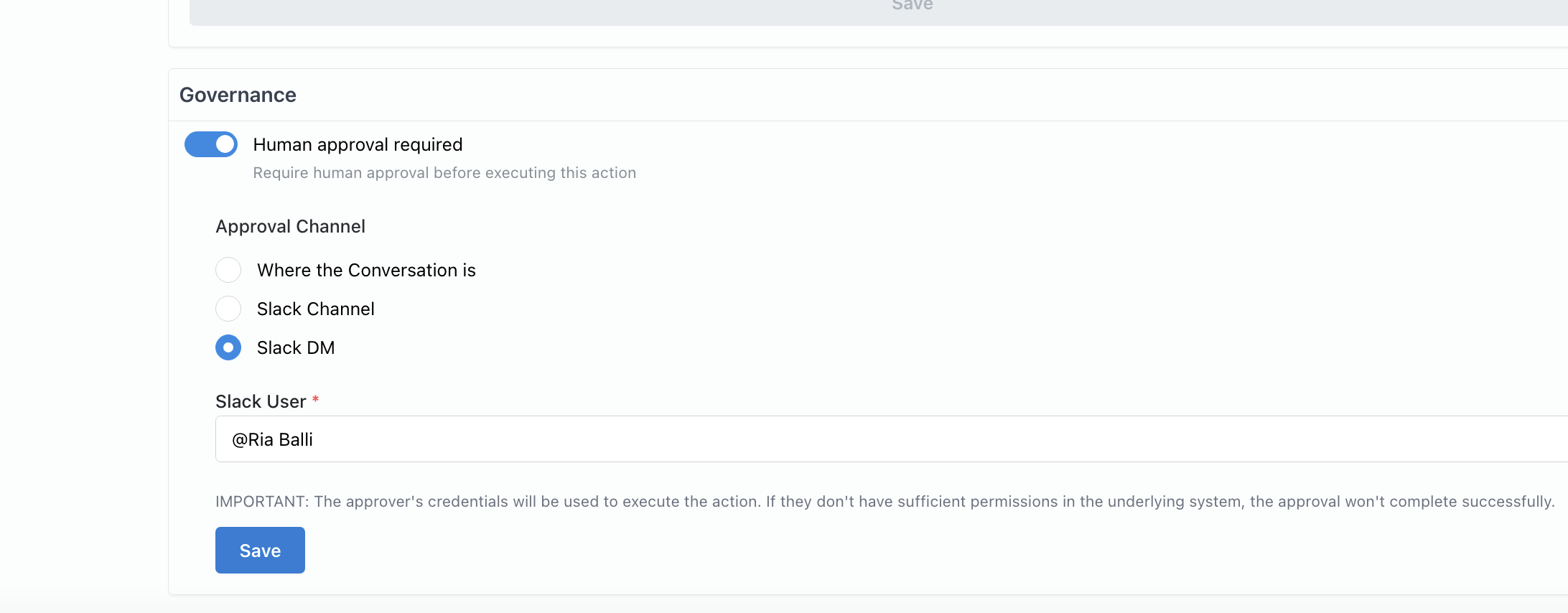
Connect the Action to our Agent
Section titled “Connect the Action to our Agent”We will now enable our IT/Security agent to call our Okta workflow action as necessary. Head over to the Publish tab and only allow our IT/Security agent to call upon this action. It is important that you are careful and judicious about who you give access to this action! See Credentials and Security for more on action access controls.
Finally, ensure that your Okta action is selected in your IT/Security Agent to confirm that the agent will see it as an available action.
At this point, you are ready to conversationally trigger IT automations from Credal!