

Monitoring Usage
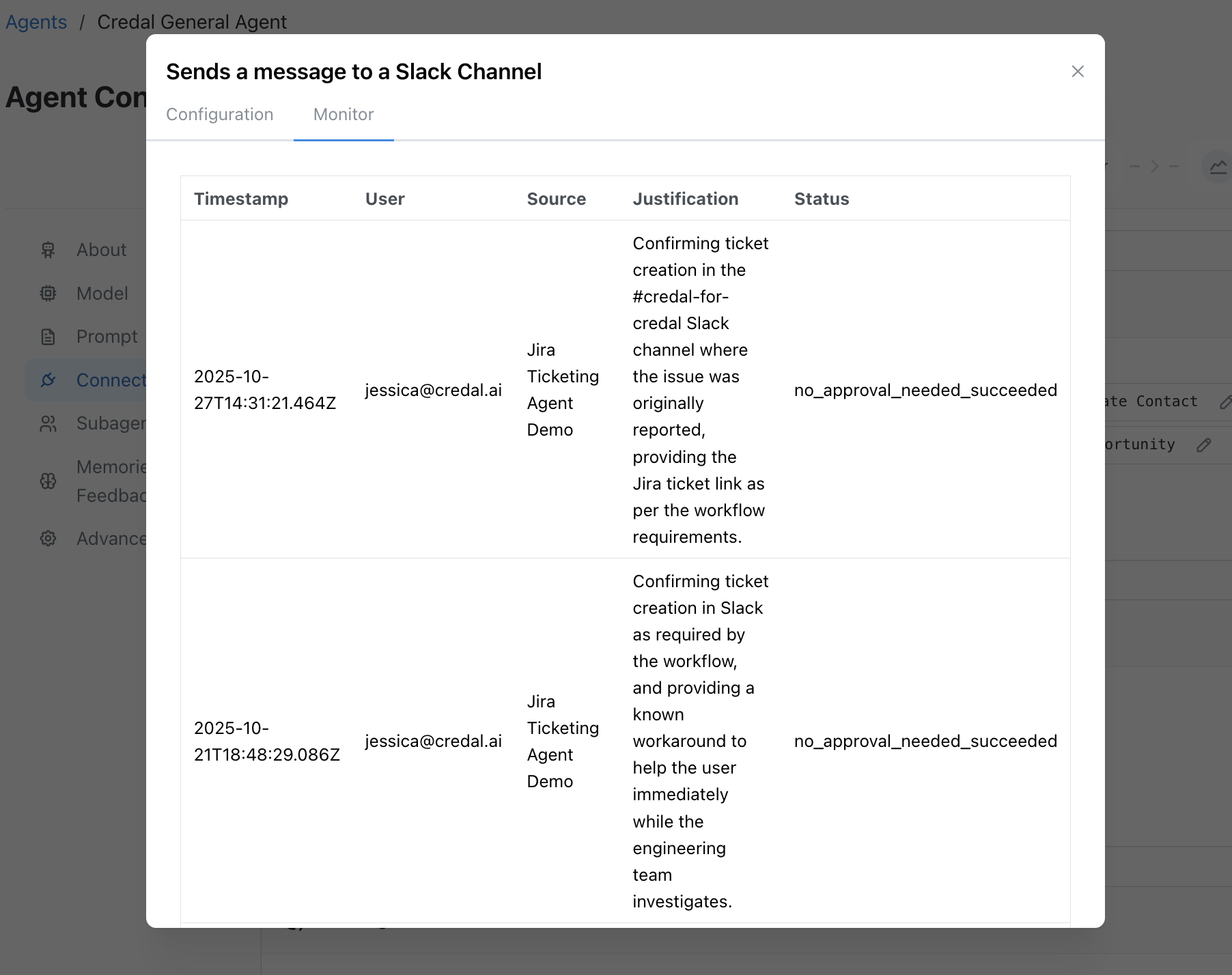
Credal provides comprehensive monitoring capabilities to track how actions are being used across your organization. The monitoring dashboard gives you visibility into action invocations, execution patterns, and usage trends.
What You Can Monitor
Section titled “What You Can Monitor”- Action Invocations: See how often each action is being called by agents
- Execution Success Rates: Track which actions are completing successfully vs. failing
- User Activity: Understand which users and teams are leveraging different actions
- Action Justifications: Review business justifications provided by users when invoking sensitive actions, creating a complete audit trail for compliance and governance
- Temporal Patterns: Identify usage trends over time to optimize action configurations
Accessing Monitoring Data
Section titled “Accessing Monitoring Data”To view action monitoring data:
- Navigate to the Actions section in the Credal platform
- Select the action you want to monitor
- Click on the Monitoring or Usage tab
The monitoring dashboard provides real-time insights to help you optimize action performance and governance.