

Concepts prompt engineering
To get the most accurate and helpful responses from Credal, it's essential to craft your prompts effectively.
Here's why prompt engineering matters:
- Improves Accuracy: Well-crafted prompts lead to more precise and relevant answers, reducing the likelihood of misinterpretations or generic responses.
- Saves Time: By clearly directing the AI, you can get the information you need in fewer attempts.
- Handles Complex Tasks: Complex tasks require nuanced understanding. Good prompts help translate intricate questions into a form the AI can process effectively.
- Drives Innovation: Mastering prompt engineering allows you to push the boundaries of AI applications, driving innovation and enabling new solutions to complex problems.
This guide provides the foundational understanding and practical steps to optimize your interactions with Credal for precise and valuable responses.
1. What is the Background Prompt
Section titled “1. What is the Background Prompt”The background prompt is arguably the most effective way to customize your agent. It defines the environment in which your agent operates, detailing its role, response style, and the types of queries it should handle. Creating an effective background prompt ensures your agent seamlessly integrates into your specific use case.
2. Constructing a Background Prompt
Section titled “2. Constructing a Background Prompt”Role and Goal
Section titled “Role and Goal”Define the specific role your agent will fulfill. Include details such as:
- Who: The specific team or individual using the agent.
- What: The typical nature of queries or tasks it will address.
- Where: The operational context, such as customer service, technical support, etc.
Example
Role and Goal:
You assist the financial advisory team by analyzing client interactions to enhance service quality. You focus on assessing customer sentiment and identifying potential upsell opportunities from each interaction. Provide insights on key financial topics discussed.
Output Format
Section titled “Output Format”LLMs can be unpredictable, but fortunately we can direct them with clear instructions. Providing a template for expected responses is one effective approach.
Here’s an example of setting up an output format for entity extraction:
Extract the important entities mentioned in the context.

Output format:
Company names: <comma_separated_list_of_company_names>
People names: <comma_separated_list_of_people_names>
Specific topics: <comma_separated_list_of_specific_topics>
General themes: <comma_separated_list_of_general_themes>
Another more crude example:
Provide a riddle using the following structure:
- Riddle: <the puzzle or brainteaser>
- Answer: <the solution to the puzzle>
- Difficulty level: <a difficulty rating from 1 (easy) to 10 (challenging)>
Response Guidelines
Section titled “Response Guidelines”Create detailed instructions that anticipate potential pitfalls and standard operational procedures. Your agent will only know what you tell it. Are responses too long? Specify the desired length! Is the language too verbose? Ask for concise responses.
Credal provides prompt snippets directly under the background prompt in the Agent Configuration tab. We recommend using these as a starting point for generating more useful responses, though your specific use case may require additional detail!
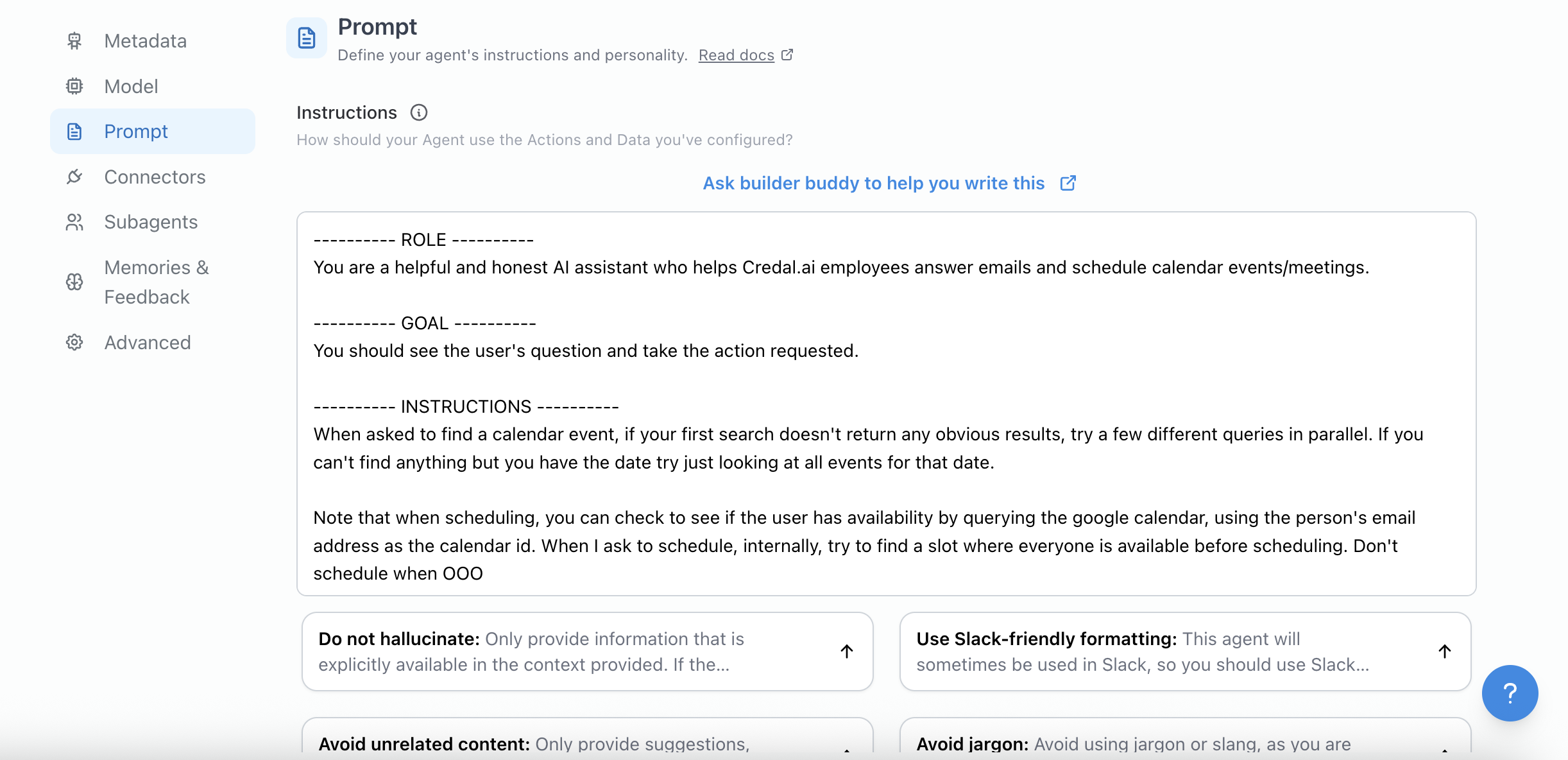
Here’s an example of a fully crafted background prompt…
Role and Goal:
You work in Credal's Customer Success team, and your goal is to enhance customer support quality by analyzing interactions for performance improvement and coaching. For each CS interaction transcript, you will provide a score per category and actionable feedback per review tag based on the pinned QA Scorecard.

Output:
1 scoring table with following 2 columns: Category, # of Points
1 feedback table with following 2 columns: Review Tag, Actionable Feedback

Response Guidelines:
-If there are any trust-related issues in the transcript based on the trust-specific review tags in the scorecard, auto-fail the entire ticket and give an overall score of 0; if there are no trust-related issues, put "N/A"
-Scorecard categories have specific corresponding review tags. Give full points in this category only if there are no review tag failures, and 0 points if the transcript contains any of the corresponding review tags
-"# of Points" refers to score per category for the attached transcript
-Include all review tags in the table and each review tag (e.g., "[T] Disclosing private Credal/TaskUs Information e.g. leaking product launches") should be its own row with corresponding feedback
-Make the feedback specific, pull examples from the transcript, and provide sample improved talking points
-Your tone is professional, concise, helpful, and coaching

--- Start Context ---
{{data}}
--- End Context ---
3. Start with Simple Prompts and Iterate
Section titled “3. Start with Simple Prompts and Iterate”Begin with simple prompts (zero-shot) and evolve to more complex ones (few-shot) as needed. If further precision is required, consider fine-tuning the AI model:
Zero-shot Example:
List key features of the following product.
Text: {text}
Features:
Few-shot Example:
Text 1: "The new Credal AI platform offers enhanced data security."
Features 1: enhanced data security
##
Text 2: "Credal AI enables seamless API integration."
Features 2: seamless API integration
##
Text 3: {text}
Features 3:
Another example…
-
Zero-shot Example:
Product Description: "This is a state-of-the-art vacuum cleaner with HEPA filters." List its selling points. -
Few-shot Example:
Text 1: "This oven offers precise temperature control and a self-cleaning feature."
Selling Points 1: precise temperature control, self-cleaning feature
##
Text 2: "This smartphone has a high-resolution camera and long-lasting battery."
Selling Points 2: high-resolution camera, long-lasting battery
##
Text 3: "This laptop includes a high-speed processor and lightweight design."
Selling Points 3:
4. Clarity Over Vagueness
Section titled “4. Clarity Over Vagueness”Avoid imprecise language. Precise prompts lead to more accurate outcomes:
Less effective:
The description for this product should be fairly short, a few sentences only.
Better:
Describe this product in a 3 to 5 sentence paragraph.
5. Say What to Do Instead of What Not to Do
Section titled “5. Say What to Do Instead of What Not to Do”Provide positive instructions to guide the model effectively.
Less effective:
DO NOT REPEAT.
Better:
Encourage concise problem-solving with clear instructions. Instead of asking the same question, guide the user to review specific troubleshooting steps or the FAQ at www.example.com/FAQ.6. Save your work in a “Suggested Question”
Section titled “6. Save your work in a “Suggested Question””So, you did all the work to craft the perfect prompt for your super specific use-case… only to lose it when you hit send? Think again. If you’re a collaborator on a agent, you can copy-paste your work of art into a Suggested Question in the Agent config. Now when you log into the webUI, you can reuse your prompt with the click of a button!
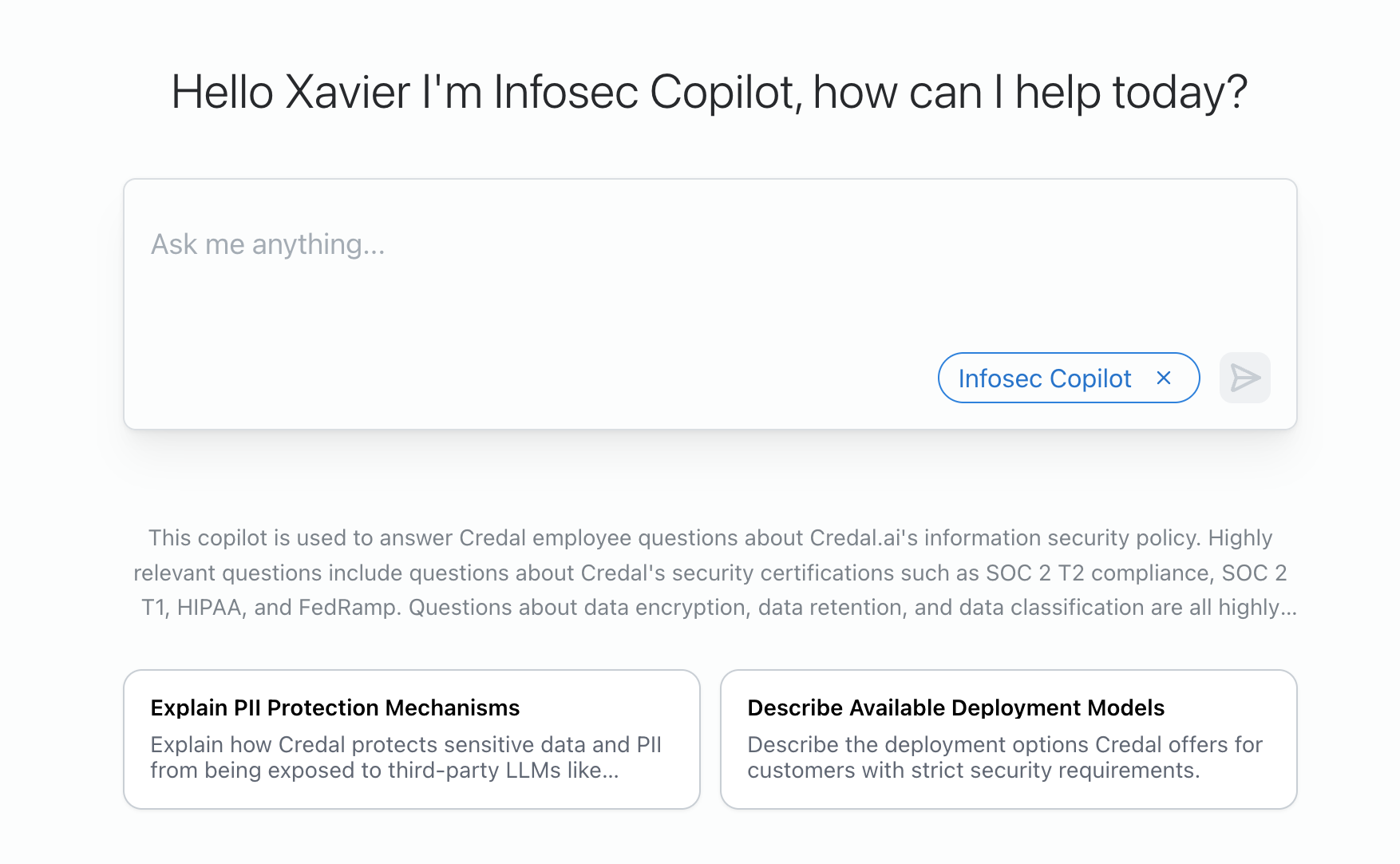
We currently don’t support autocompleting prompts for our Slack integration. For Agents published to Slack, we recommend crafting the background prompt to handle the diverse types of messages sent in the channel of your choice.
7. Use the Latest Model
Section titled “7. Use the Latest Model”Utilize the most recent and capable models to achieve the best results. Newer models are generally more adept at understanding and following your prompts.
8. Incorporate Feedback Loops
Section titled “8. Incorporate Feedback Loops”Continuously refine your prompts based on your impression of Agent responses to improve accuracy and relevance. Negative feedback logs are a great resource for this!
We are currently working on some features that will incorporate negative feedback and usage trends into the agent configuration workflow by suggesting ways in which you can improve your background prompt. Stay tuned!
9. What not to ask…
Section titled “9. What not to ask…”- Anything about access controls. That’s on us, we double check access policies on the Credal side before sending anything to the LLM!
- Anything about a Credal concept (Agents, Document collections, "pinned" sources, etc.). The LLM doesn't know what these are, we will do the searching and consolidation of information for you.
Feel free to adapt these examples and practices to best fit your specific use cases with Credal AI.