

Agent Benchmark
The Benchmark tab lets you compare different model configurations side-by-side against the same set of test cases. Instead of manually switching models and re-running evaluations one at a time, you define multiple configuration variants and launch a single benchmark run that executes them all in parallel, producing a unified results view.
Setting Up Configurations
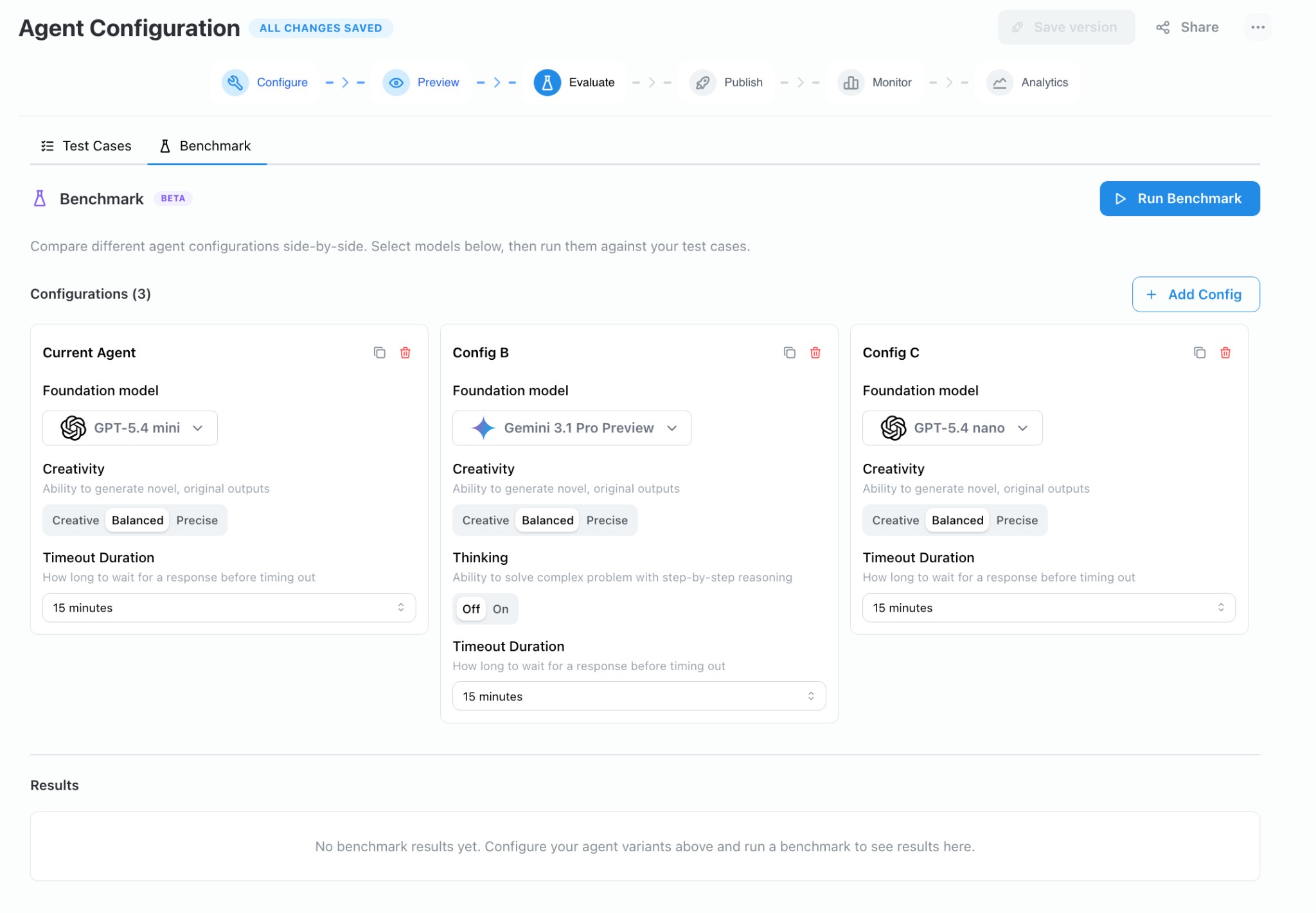
Section titled “Setting Up Configurations”On the Evaluate → Benchmark tab, each card represents a configuration variant. The first card is seeded from your agent's current model settings. Click + Add Config to add up to six variants.
Each configuration card exposes the following settings:
| Setting | Description |
|---|---|
| Foundation Model | The LLM used for inference (e.g. GPT-5.4 mini, Gemini 3.1 Pro Preview). |
| Creativity | Controls temperature — Creative (high), Balanced (medium), or Precise (low). |
| Thinking | Toggles step-by-step reasoning for models that support it (e.g. Gemini, Claude). |
| Timeout Duration | How long to wait for a response before timing out. |
You can duplicate an existing card to use it as a starting point, or delete cards you no longer need.
Running a Benchmark
Section titled “Running a Benchmark”Click Run Benchmark to open the confirmation modal. The modal shows:
- Which configurations are selected.
- How many test cases will be included.
- The number of trials per test case.
- Whether configs will execute in parallel.
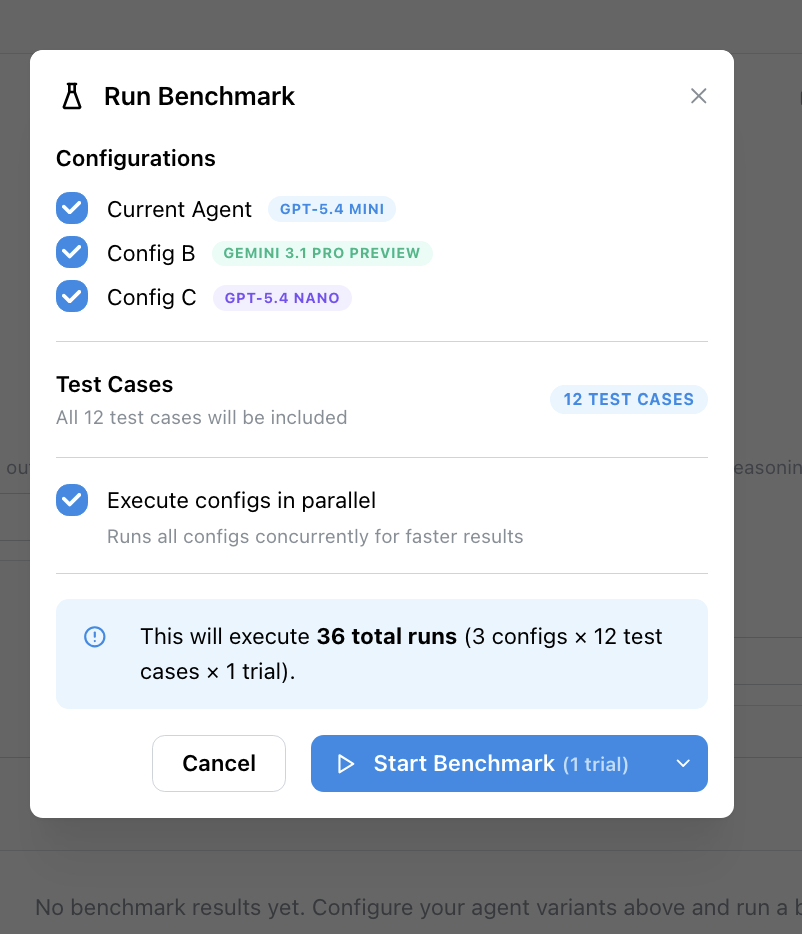
Confirming the run creates one evaluation run per configuration. Each run executes every test case independently, using the model and settings from its configuration card. Your agent's saved configuration is never modified — the overrides exist only for the duration of the benchmark.
Viewing Results
Section titled “Viewing Results”As runs complete, results appear in the table below the configuration cards. For each test case you can compare:
- Rubric scores — How well each configuration's response met your scoring criteria.
- Latency — End-to-end response time per configuration.
- Completion status — Whether the agent responded successfully or timed out.
If a test case has no rubric defined, only latency and completion status are recorded.