

Setting up Controls
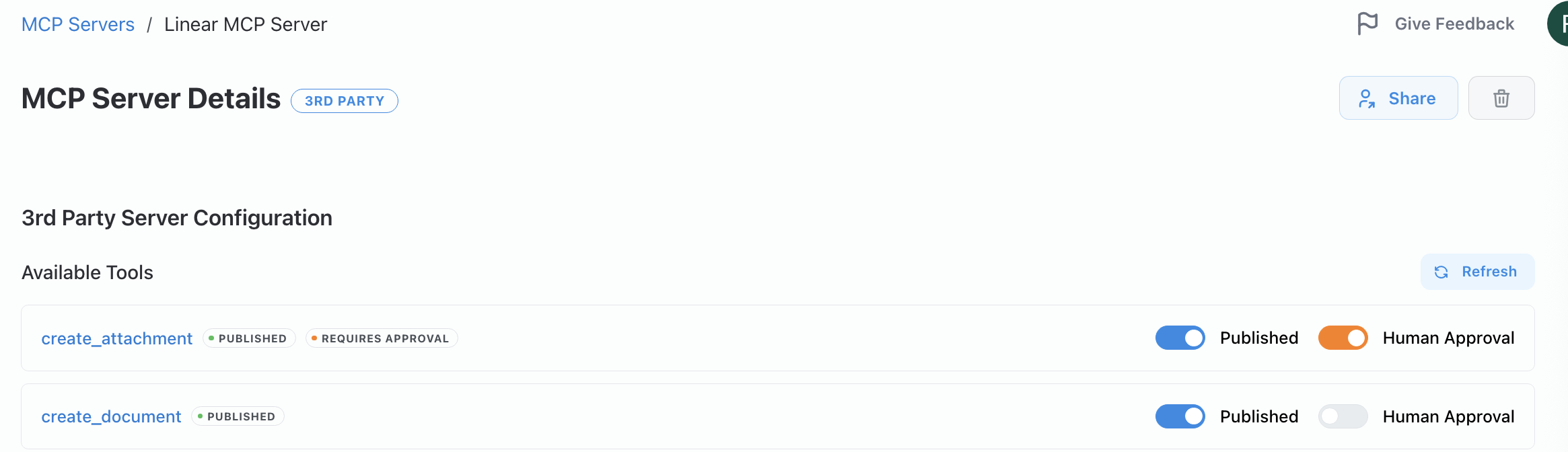
For every MCP server, admins have granular control over which tools are available and how they can be used:
- Publish/Unpublish Tools: Enable or disable individual tools from the server. If a third-party server exposes actions that are too sensitive or not relevant for your organization, simply unpublish them to prevent their use.
- Enforce Human Approval: Require human approval before specific tools execute. For tools you want to allow but monitor closely, approval enforcement ensures nothing runs without a human sign-off first.
Agent Access Control
Section titled “Agent Access Control”Beyond tool-level controls, you can restrict which Credal agents are allowed to call an MCP server at all. By default, any agent in your organization can invoke the server's tools. Use the Allowed Agents section in the server's settings to maintain an explicit allowlist of agents that can call the server. Agents you add to the allowlist can also be automatically attached to the server in their own configuration.
This is a useful extra lock for servers that use sensitive actions or contain sensitive prompting, where you want to be deliberate about which agents can reach them.
Auto-block on Tool Changes (Third-party servers)
Section titled “Auto-block on Tool Changes (Third-party servers)”For third-party imported servers, you can enable the Auto-block on tool changes toggle. When active, any time the remote server's tool schema changes — new tools, renamed tools, modified parameter shapes — those changes are automatically blocked and require an admin to review and explicitly approve them before agents can use the updated tools.
This prevents a third-party server update from silently expanding what your agents can do, and gives your team a mandatory review gate for any capability changes from external providers.